
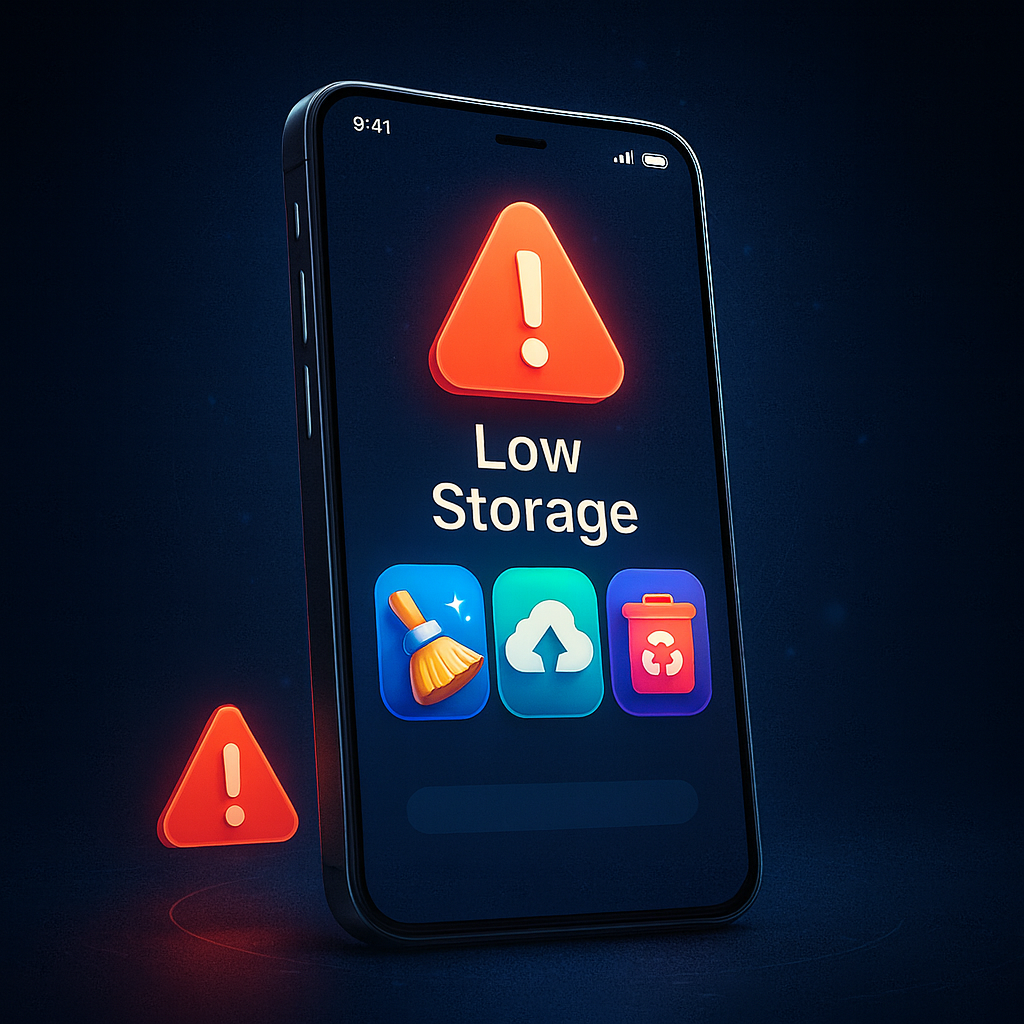
Smartphones today come with more apps, higher-quality photos, larger videos, and heavier system updates. Even with 64GB or 128GB storage, many people still get the message:
“Storage Almost Full.”
“Insufficient Storage Available.”
But the good news is:
You can free up storage without deleting your important files.
This guide shows the best and safest ways to clean your Android or iPhone in 2025 while keeping your photos, videos, and documents safe.
Let’s begin.
1. Clear Cache (Does NOT Delete Important Data)
Cache is temporary data stored by apps. It takes a lot of space, especially in apps like:
- TikTok
- Chrome
- Snapchat
- YouTube
✔ How to clear cache on Android:
- Settings
- Apps
- Select app
- Storage
- Tap Clear Cache
✔ On iPhone:
iPhones do not allow manual cache clearing, but you can:
- Offload apps
- Clear Safari History
- Restart the phone
⚠️ Clearing cache does NOT remove:
✔ Photos
✔ Videos
✔ Accounts
✔ Messages
Safe and effective.
2. Use Google Photos or iCloud to Back Up Your Media
Photos and videos take the MOST space on smartphones.
✔ For Android:
Use Google Photos
- Install or open Google Photos
- Turn on Backup & Sync
- After backup, use “Free Up Space”
Google Photos will remove local copies safely after uploading them to the cloud.
✔ For iPhone:
Use iCloud Photos
or
Use Google Photos for extra storage.
This allows you to delete local photos while keeping them safe online.
3. Delete Duplicate Files Automatically
Duplicate photos, screenshots, documents, and downloads waste a lot of space.
✔ Tools to remove duplicates:
- Files by Google (Android)
- Cleaner App (iPhone)
- Duplicate File Remover
These apps automatically detect and delete duplicate or blurry photos.
4. Delete Old WhatsApp Media Safely
WhatsApp alone can take 5GB – 30GB of space.
✔ Clean WhatsApp storage:
- Open WhatsApp
- Go to Settings
- Tap Storage and Data
- Select Manage Storage
- Delete:
- Large files
- Forwarded media
- Junk photos
✔ Back up important media before deleting:
Use “Google Photos” or SD card.
5. Move Large Files to SD Card (Android)
If your phone supports SD card:
✔ Move videos
✔ Move music
✔ Move photos
✔ Move documents
✔ Move app data (supported apps only)
How to move files:
- File Manager
- Select files
- Move to SD Card
This frees internal storage instantly.
6. Offload Unused Apps (iPhone)
iPhone’s Offload Apps feature removes heavy apps but keeps your data.
How to enable:
Settings → General → iPhone Storage → Offload Unused Apps
Benefits:
✔ Frees space
✔ Keeps your data
✔ Restores app when reinstalled
7. Uninstall Apps You Don’t Use
Many people have 20–40 apps they don’t use.
✔ Find unused apps:
Android:
Settings → Apps → Sort by “Last used”
iPhone:
Settings → iPhone Storage → Unused apps appear with “Never Used”
Delete apps you don’t use monthly to free 2–10GB easily.
8. Delete Offline Downloads (They Take Huge Space)
Many apps save downloads offline:
✔ YouTube
✔ Netflix
✔ TikTok
✔ Facebook
✔ Spotify
✔ Telegram
✔ Chrome
Go into each app and delete offline videos or saved files.
9. Remove Old APK Files (Android)
APK installation files do not auto-delete.
They can use 1–2GB monthly.
✔ Locate and delete them:
File Manager → Downloads → .apk files
Safe to delete after installation.
10. Use Storage Manager Tools
✔ Android:
Use Files by Google
- Clears junk
- Removes duplicates
- Suggests unused files
✔ iPhone:
Use Settings → iPhone Storage
- Shows big files
- Categories files
- Suggestions to free space
11. Move Videos to Laptop or External Drive
Videos take the MOST space.
How to transfer:
✔ Use USB cable
✔ Send to PC
✔ Use OTG flash drive
✔ Move to external hard drive
This protects your videos and frees storage.
12. Use Cloud Storage Apps for Large Files
Cloud apps store files online.
Best options:
- Google Drive
- OneDrive
- Mega
- Dropbox
- iCloud Drive
Upload your large documents, movies, or PDFs, then delete local copies.
13. Clear Browser Data
Chrome and Safari store a lot of temporary files.
Clear Chrome data:
Chrome → Settings → Privacy → Clear browsing data
Clear Safari data:
Settings → Safari → Clear History & Website Data
This frees 200MB – 1GB easily.
14. Delete Temporary App Files (Android)
Some apps store temp files that you don’t need.
Use:
✔ Files by Google
✔ SD Maid (advanced users)
These tools safely delete junk.
15. Disable Auto-Download on WhatsApp & Telegram
This prevents storage from filling up again.
For WhatsApp:
Settings → Storage & Data → Media Auto-Download
Turn off Photos, Videos, Documents
For Telegram:
Settings → Data & Storage → Auto-download → Off
16. Clear System Junk (Android)
Many Android phones have built-in cleaners.
Go to:
Settings → Storage → Clean Up (or Device Care, depending on brand)
This removes:
✔ Temporary logs
✔ Cache partitions
✔ App leftovers
17. Remove Pre-Installed Bloatware
Phones like Tecno, Infinix, Xiaomi ship with unnecessary apps.
Disable or uninstall them to free space.
18. Compress Media Files
If you cannot delete files, compress them.
Tools like:
✔ Photo Compressor
✔ Video Compress
✔ Panda Video Compressor
Reduce file size by 50–80% without losing quality.
19. Factory Reset (Last Option)
If your phone is full and slow even after cleaning:
A reset will free maximum space and remove hidden junk.
Warning:
Back up your data before resetting.
How Much Space You Can Save Using These Tips
✔ Clear cache: 1 – 5GB
✔ Clean WhatsApp: 2 – 20GB
✔ Delete duplicates: 1 – 10GB
✔ Move photos to cloud: 5 – 50GB
✔ Delete downloads: 1 – 15GB
✔ Remove unused apps: 1 – 10GB
✔ Move videos to PC: 10 – 100GB
My Final Thoughts
You don’t need to delete your important files to free up storage.
By using smart cleaning methods, cloud backups, and moving files to external storage, your phone will:
✔ Have more space
✔ Work faster
✔ Stop showing storage warnings
✔ Last longer
✔ Run smoother
These 2025 tips work for both Android and iPhone users.